
Mahjong
By Unknown
Mahjong is a relaxing tile matching puzzle you can play anytime. It has a clean classic look easy controls and helpful features. Calm music and soft sounds make it perfect for casual players and Mahjong fans.
Supported devices: Desktop.
Controls: Left Click: Select a tile.
Rate and Comment
Share your rating and thoughts about this game.
Player Comments
See what other players think about Mahjong.
More Puzzle Games

Friday Night Funkin' (FNF)
Friday Night Funkin' (FNF) is an engaging rhythm game that challenges players to match musical notes in time with the beat, aiming to impress the protagonist's love interest, Girlfriend, and her formidable family. Developed by The Funkin' Crew Inc., the game has captivated a vast audience with its dynamic gameplay and vibrant art style. Players control Boyfriend, navigating through various "Weeks," each presenting unique opponents and catchy tracks. The game's open source nature has fostered a thriving modding community, leading to a plethora of fan made content and custom modifications. In April 2024, the developers released the "Weekend 1" content update, introducing new levels, remixed songs, and enhanced features. This update expanded the game's narrative and provided fresh challenges for players. Following this, in July 2025, FNF became available on iOS and Android platforms, broadening its accessibility and allowing fans to enjoy the rhythm battles on the go. For enthusiasts of rhythm based challenges, games like The Impossible Quiz and OvO offer similarly engaging experiences. Additionally, fans of narrative driven games might appreciate Stealing the Diamond and Fleeing the Complex, which combine storytelling with interactive gameplay. With its continuous updates and a dedicated community, Friday Night Funkin' remains a standout title in the rhythm game genre, offering both newcomers and seasoned players an ever evolving musical adventure. Supported devices: Desktop. Controls: W, A, S, D to play Arrow keys to play Enter to select Esc to exit + to increase volume.
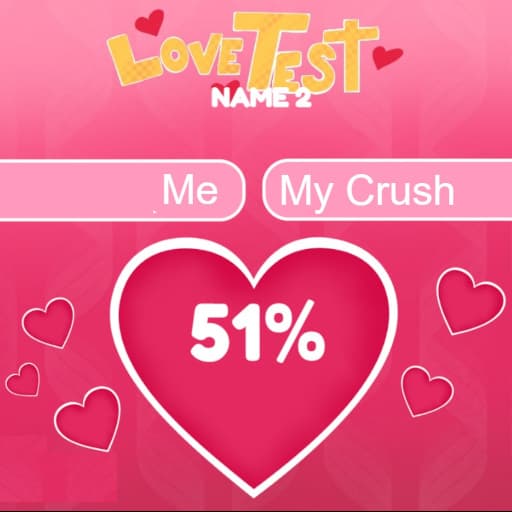
Love Tester
If your ever wandered what are the chances you and your crush got together, you are in the right place. enter your names and let's start matchmaking! Supported devices: Desktop,Tablet,Mobile. Controls: Type names: keyboard / touchpad; Reveal the love score: Left CLICK / touch the screen;.

Tile Match
Tile Match Unblocked the classic Mahjong idea and gives it a fresh twist. Instead of matching two tiles, you’ll match 3! Supported devices: Desktop. Controls: Click tiles to collect them in slots. Use buttons for boosters..

Five Nights at Freddy's 2
Five Nights at Freddy's 2 is the second installment in the acclaimed horror game series developed by Scott Cawthon. Set in Freddy Fazbear's Pizza, players assume the role of a night security guard tasked with surviving five nights while monitoring and managing the movements of animatronic characters through security cameras. The game introduces new animatronics, each with unique behaviors, enhancing the challenge and depth of gameplay. Key features include the absence of traditional doors, requiring players to use a Freddy Fazbear mask to evade detection by animatronics. Additionally, the game incorporates a music box mechanic that must be wound periodically to prevent certain animatronics from becoming active. These elements contribute to a heightened sense of tension and strategy. The most recent update, version 2.0.5, released on October 16, 2023, removed the short delay when putting on the mask after flipping down the monitor and included minor fixes and improvements. Fans of Five Nights at Freddy's 2 might also enjoy exploring other horror themed games such as Granny, Backrooms, and Baldis Basics, each offering unique and thrilling experiences. Supported devices: Desktop. Controls: Left Mouse Click to interact Right Mouse Click to use flashlight Spacebar to put on Freddy Fazbear mask Scroll Wheel to switch cameras Left Mouse Click to wind up music box.